Tablo: an E-textile Controller for Stroke, Position and Pressure
Series: alt.ctrl activities; builds on Tabla; Spatial arrangement
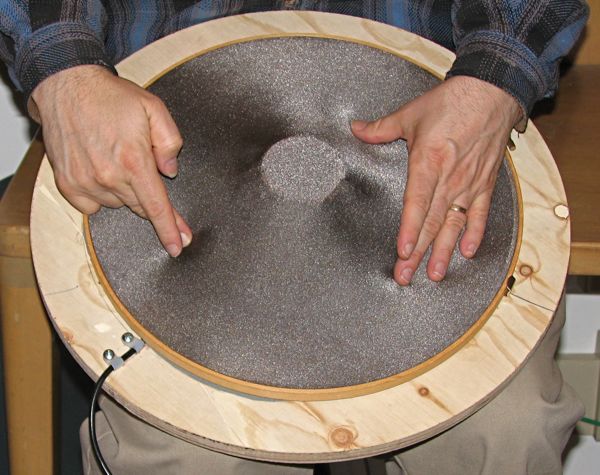
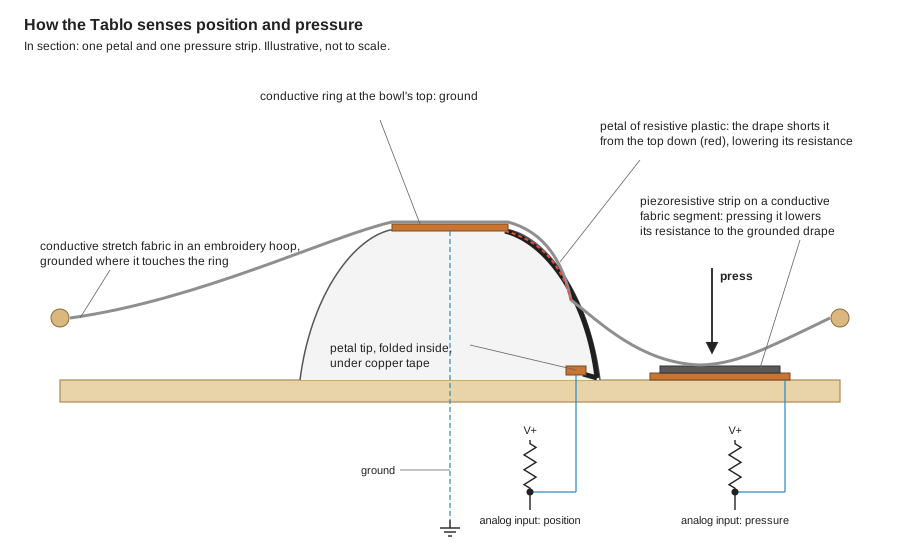
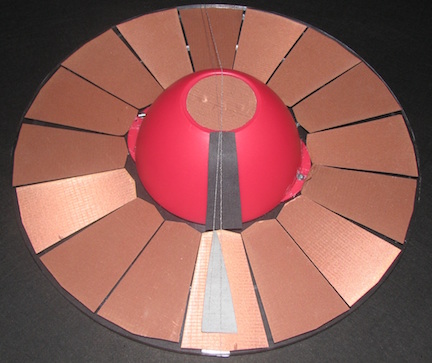
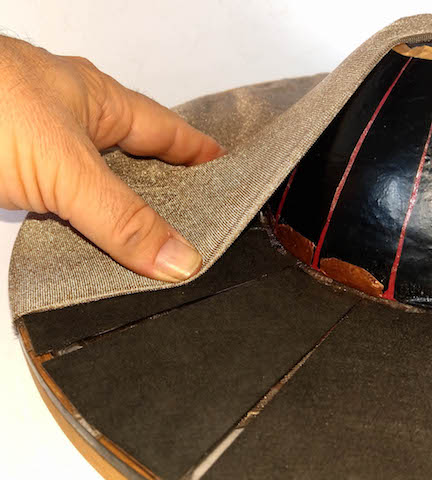
The Tablo is played like a hand drum. Conductive stretch fabric, held in an embroidery hoop, is draped over an upturned bowl. Resistive strips (petals) run down the bowl, and piezoresistive fabric strips sit on the flat ring around it. A single gesture grounds many independent circuits at once, so the Tablo senses from very light touches to fast, muscular strikes: a dynamic range that is hard to reach with stacked position and pressure sensors.
Position: the grounded fabric shorts each petal from the top down as it is pushed toward the bowl, so each petal is a nearly massless displacement sensor. Pressure: pressing the fabric onto a strip on the base lowers that strip's resistance to ground, as aftertouch. Strokes: how fast the displacements change gives the speed of a strike, and following which petals are displaced gives the direction and speed of a stroke around the bowl.
Materials
| Item | Amazon | Adafruit | SparkFun | LessEMF | Mouser | Digi-Key |
|---|---|---|---|---|---|---|
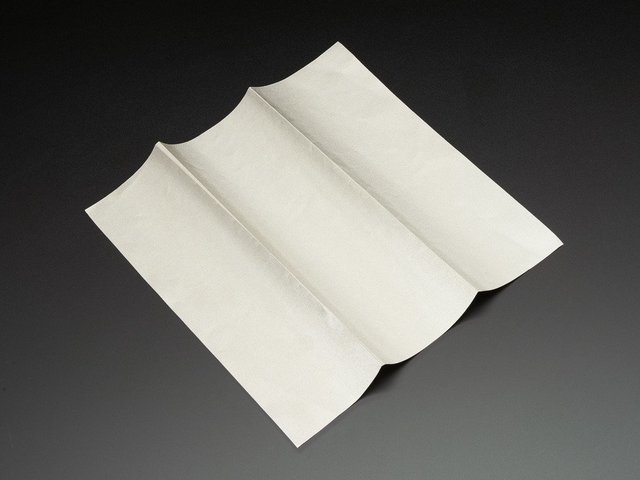
| Conductive stretch fabric for the drape (the Tablo's is silver-plated and translucent); for example a knit silver fabric, sold in 20 cm squares, so check the size you need | 1167 | 485-1167 | ||||
| An embroidery hoop, larger than the bowl and the ring of strips around it | ||||||
| A bowl to turn upside down, not hemispherical (see step 1) | ||||||
 | 1361 | Velostat Film | 485-1361 | |||
| Copper foil tape with conductive adhesive, for the petal tips | 1128 | PRT-13827 | ||||
| Conductive fabric or tape for the ring at the top of the bowl (the Tablo pages name gold-plated fabric, copper fabric and gold tape) | ||||||
 | 1168 | 485-1168 | ||||
| Piezoresistive fabric, such as Eeonyx's EeonTex, for the pressure strips and a disc at the top of the bowl; contact the manufacturer, Eeonyx | ||||||
| A base board, acrylic or plywood, with a seat for the bowl | ||||||
| Pull-up resistors, one for each sensor | ||||||
| A microcontroller that can read 33 analog inputs: 16 petals, 16 pressure strips and the centre disc. For example a Teensy 4.1, which has 18 analog inputs, with two 16-channel analog multiplexers | DEV-16771 | 1568-16771-ND | ||||
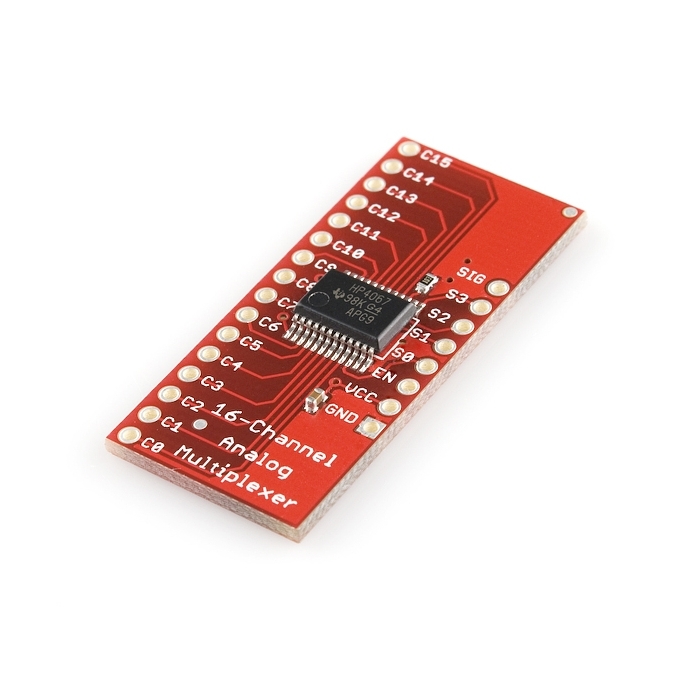 | BOB-09056 | 474-BOB-09056 | ||||
| Hookup wire |
Tools
- Scissors
- Soldering iron
- An MCU IDE
Skills
- Cutting and taping conductive materials
- Soldering
- Reading sensors through voltage dividers
- Sending OSC messages
Instructions
- Choose the bowl. A hemispherical bowl does not work well. A catenary profile may make the reading change almost linearly with the finger's position; the Tablo's own bowl, a found cereal bowl, comes close. Fabric draped over the bowl hangs in a curve like the witch of Agnesi.
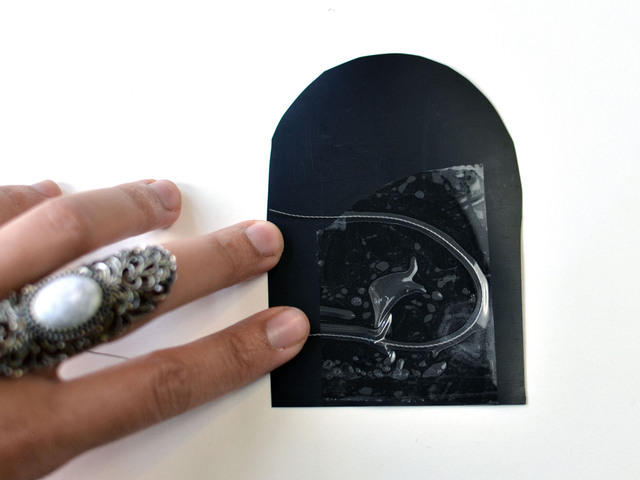
- Cut the corolla: a flower-shaped piece of resistive plastic with 16 petals. Lay its centre on the bowl's flat top and its petals down the sides, keeping them apart.
- Fold each petal's tip under the rim, inside the bowl, and tape it there with conductive-adhesive copper tape. Solder a wire to each piece of tape.
- Make the common centre: a ring of conductive fabric or tape on the bowl's flat top, touching every petal, and wired to ground. The drape is grounded wherever it touches this ring.
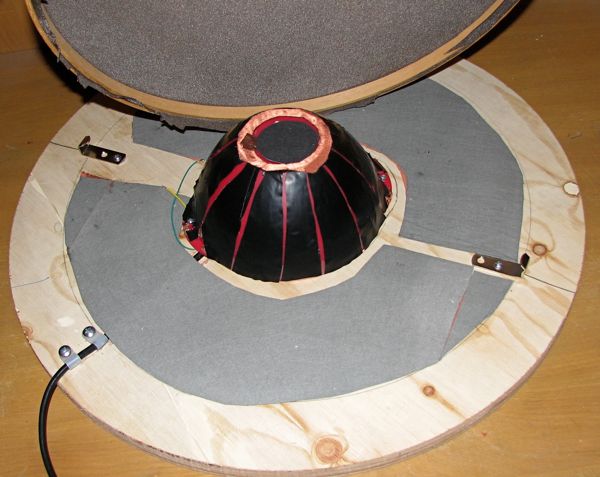
- Seat the bowl at the centre of the base. Around it, tape 16 segments of conductive fabric to the base, each with its own wire, and lay a strip of piezoresistive fabric on each (the first Tablo had two). Slip a disc of piezoresistive fabric into the top of the bowl as a centre pressure sensor.
- How the centre disc is wired: not yet written.
- Wire every sensor as a voltage divider: a pull-up resistor from the supply to the sensor's wire, which an analog input reads (most microcontrollers cannot enable a built-in pull-up on an analog input; first-generation Arduinos could); the ground ring completes each circuit through the drape. Measure each sensor's resistance untouched and fully pressed, and choose its pull-up near the geometric mean of the two: that gives the widest range of readings.
- Surround the sensing nodes with grounded fabric, to keep electrical noise down.
- Stretch the conductive fabric in the embroidery hoop, and fix the hoop to the base so that the fabric drapes over the bowl and rests on the ground ring. The hoop comes off, so the fabric, the only moving part, can be washed or replaced.
- Read all the inputs, through the multiplexers, and send them as OSC messages over USB. The Tablo drove resonance-model sounds in Max/MSP.
- Calibrate each petal: record its reading with the fabric resting, and with the fabric pressed fully onto the bowl along it, and scale it to a displacement from 0 to 1.
- Position: one mapping from the 2008 paper splits the petals into two halves, one for each hand. Sum each half's displacements as vectors along their petals, to give each hand a direction and an amplitude, and take the ratio of the arithmetic and geometric means of the displacements as the size of the gesture.
- Pressure: map each strip's reading, and the centre disc's, to aftertouch.
- Strokes: estimate a strike's speed from how fast the displacements change, using the moment the fabric reaches a pressure strip as the reference point. Follow which petals are displaced, reading by reading, to find the direction and speed of a stroke around the bowl.
- Play. The sensitivity changes with distance from the bowl's centre, a variable gearing that suits several styles: tap the fabric onto the bowl with the fingers of one hand, like a hand drum, while leaning toward the other side with the palm; or play with both hands from the hoop toward and around the base of the bowl.
Variations
- Put it on the floor and play it with the feet, as several pedals.
- Shine programmable lights up through a translucent stretch fabric as visual feedback, like a guitar's frets, and put the loudspeaker under the surface.
- Build it in a line, like a keyboard, instead of in the round.
- Scale it up so that several people can play it together.
- Try other bowl profiles, such as a catenary, and compare how linear the response is.
- Start smaller, as the first Tablo did, with two pressure strips on the base.

Related resources
- Tablo: e-textile Fabric Drape Sensing Controller, the original page
- Tablo Textile Sensing Description
- Tablo: teardown of the first Tablo Prototype
- Tablo Demonstration at the San Francisco Exploratorium: a video, with the Tablo about 8 minutes in
- Application of new Fiber and Malleable Materials for Agile Development of Augmented Instruments and Controllers, NIME 2008, section 4.2: the Tablo and its two-hand mapping
- Novel and Forgotten Current-steering Techniques for Resistive Multitouch, Duotouch, and Polytouch Position Sensing with Pressure, NIME 2009, section 5: the Tablo's circuits
- Sound, Vibration, and Retroaction in Deformable Displays, CHI 2013: lights, sound and finger velocity
- Witch of Agnesi and Catenary (Wikipedia)
- Add Pressure Sensitivity to Switches and eTextile Pressure Sensing Touch Pad
Coding Prompt Build Block
A prompt to give a coding assistant, to start the code for this activity. Copy the box, answer its questions about your board and pins, and test what comes back on the bench before you rely on it.
I am building "Tablo: an E-textile Controller for Stroke, Position and Pressure", the activity at https://adrianfreed.com/tablo-etextile-controller.html.
Write a program for a microcontroller that reads a fabric controller's 33 sensors: 16 petals and 16 pressure strips, through two 16-channel analog multiplexers (CD74HC4067), and a centre disc. Each sensor is a voltage divider with an external pull-up resistor (most microcontrollers cannot enable a built-in pull-up on an analog input), and its reading falls as the fabric presses on it.
Calibrate each petal: record its reading with the fabric resting and with the fabric pressed fully onto the bowl along it, and scale it to a displacement from 0 to 1. For position, split the petals into two halves, one for each hand: sum each half's displacements as vectors along their petals, to give each hand a direction and an amplitude, and take the ratio of the arithmetic and geometric means of the displacements as the size of the gesture. Map each pressure strip's reading, and the centre disc's, to aftertouch.
Send everything as OSC messages over USB, at a steady rate; the Tablo drove resonance-model sounds in Max/MSP.
Libraries to explore:
- CD74HC4067: selects one of a CD74HC4067 multiplexer's 16 channels from four control pins (https://github.com/waspinator/CD74HC4067)
- ResponsiveAnalogRead: reduces the noise in analog readings without making them sluggish (https://github.com/dxinteractive/ResponsiveAnalogRead)
- OSC for Arduino (CNMAT): encodes and decodes OSC messages, and sends them over USB or hardware serial (framed with SLIP) or over Ethernet and Wi-Fi UDP; its Applications folder has Max/MSP and Pd examples that receive them (https://github.com/CNMAT/OSC)
Before writing anything, ask me what I am using: the board and its pins, or the software (such as Max, Pd or Python), and check its documentation for what this needs. Put the pin numbers, ranges and other settings in one block at the top, each with a comment. Say which of the libraries above you use, and why. Start with a test that shows the raw readings, so that I can check the wiring and the ranges before the rest.
This activity by Adrian Freed is licensed under Creative Commons Attribution-NonCommercial-ShareAlike 4.0 International (CC BY-NC-SA 4.0): you may share and adapt it with attribution, for non-commercial purposes such as personal projects and teaching, and you must share adaptations under the same licence. Product names and links belong to their suppliers.